Lawyers: your clients’ GDPR work, backed by evidence
You support your clients on GDPR, often as their external DPO. DPO Connect gives each one a separate workspace, keeps evidence of every action and produces their record in PDF or Excel on the day it has to be presented.
DPO Connect in one minute
The video is hosted by YouTube (privacy-enhanced mode). Nothing is loaded from YouTube until you click ‘Play video’. Learn more (in French)
Transcript (English translation)
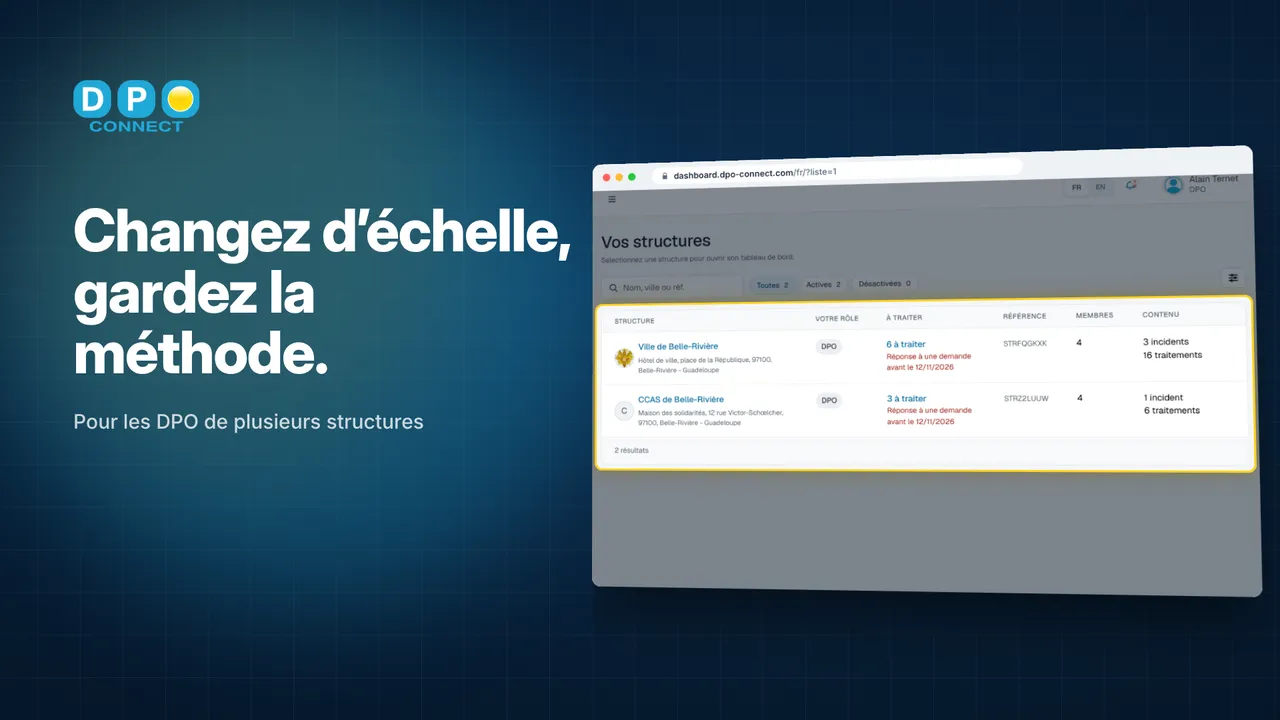
- 0:15 All your organisations are brought together in a single list. For each one, you see at a glance what remains to be done.
- 0:20 You open an organisation: its dashboard, its record, its incidents. Nothing gets mixed up.
- 0:25 Access is granted organisation by organisation. Each member has their role, and sees only what concerns them.
- 0:30 A processing activity already described elsewhere? You clone it to another organisation, and you adapt it.
- 0:35 The general audit follows the same framework everywhere, adjusted to the scope of each organisation.
- 0:40 Each one’s processors are tracked: clauses checked, security measures.
- 0:44 And Lea, the built-in assistant, answers you from the entries of the organisation you have open.
- 0:48 When review time comes, each organisation has its indicators, and its record in PDF or Excel.
Scale up, keep the method.
What DPO Connect changes for you
One client, one separate workspace
Each client is a distinct organisation: its record, its dashboard, its access rights. Nothing passes from one client file to another, not even in Lea’s answers.
Evidence of every action
For each requirement, its progress status and the supporting evidence that proves it. Each client’s record exports to PDF or Excel.
Your client on board
Your client has access to their organisation, with the role you give them: they follow progress without seeing your other client files.
An end of engagement planned for
The engagement is ending? Your client takes out their own subscription and you transfer their organisation to them: they keep the full history. You remain linked to it as DPO, or you withdraw.
Evidence, requirement by requirement
The general audit follows the same framework for every client, adjusted to its scope. Each requirement carries its progress status and the supporting evidence that proves it.
See all features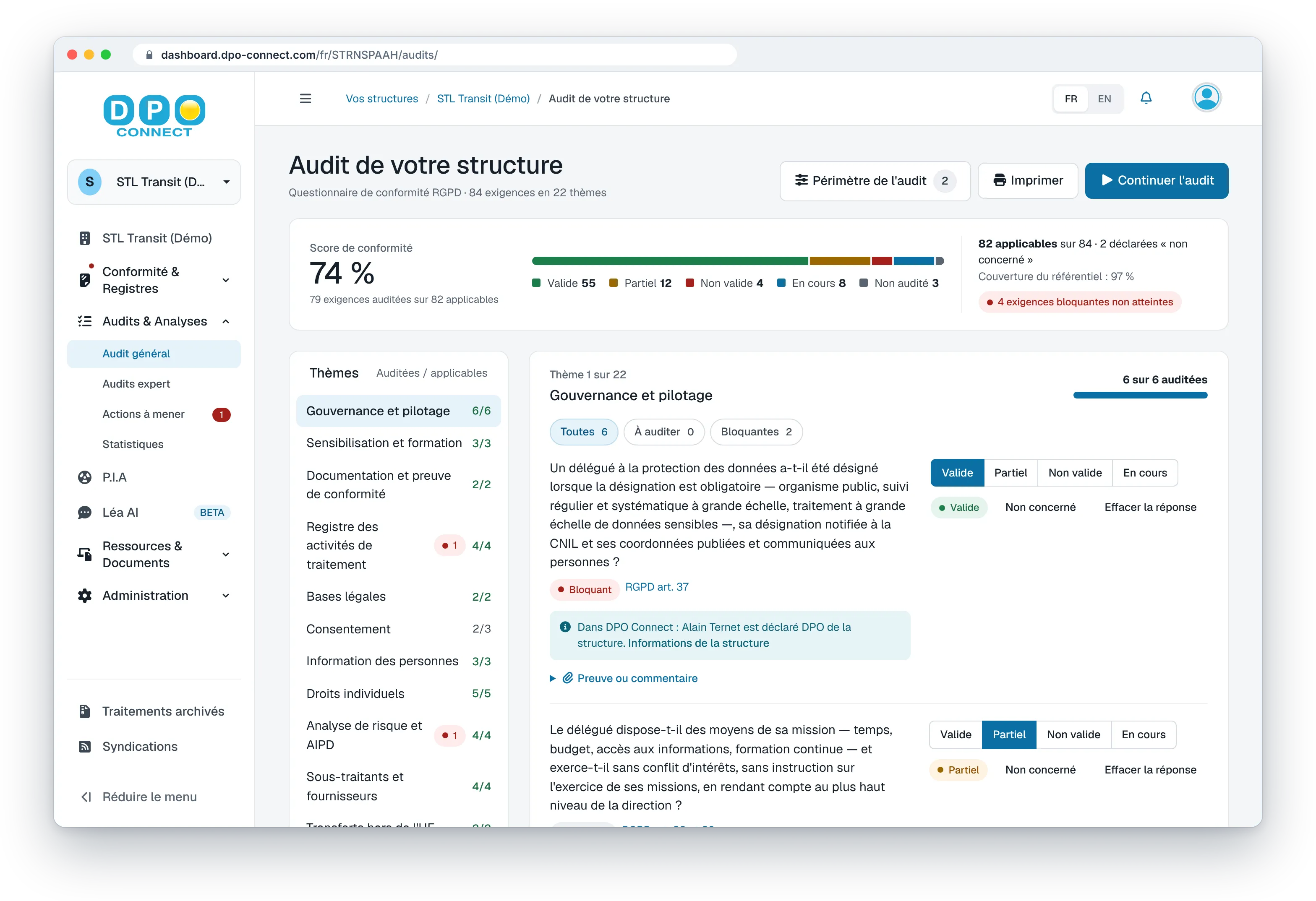
Frequently asked questions
Are my clients’ files kept separate from one another?
Yes. Each client is a distinct organisation, with its own access rights: a member sees only the organisation they belong to, and Lea answers only from the entries of the organisation that is open.
Where is my clients’ data hosted?
In Europe, including for Lea, the built-in AI assistant. DPO Connect is published by IPEOS I-Solutions, a software publisher since 2004.
How do you prove the work done for a client?
Through the supporting evidence: the general audit follows a common framework, and each requirement carries its progress status and the document that proves it. Each organisation’s record and indicators export to PDF or Excel.
What happens at the end of an engagement?
Your client takes out their own DPO Connect subscription and you transfer their organisation to them: they keep the full history. You can remain linked to it as DPO, without managing the organisation any more, or withdraw. If you leave it, only the person in charge of it can invite you back.
Scale up, keep the method.
Book a 30-minute demo: we show you the tool with a case close to yours.